West Valley Home Search: Start With the Feature
West Valley Home Search: Start With the Feature
TL;DR
- If one property feature is truly non-negotiable, start your search there instead of beginning with a huge citywide list.
- An MLS checkbox is only a starting point: RV parking, acreage, open space, guest houses and no-HOA properties all need additional verification.
- The same feature can mean something very different in Goodyear, Buckeye, Waddell, Litchfield Park or Surprise.
- When your criteria become too specific for a standard filter, a custom search can combine the details that actually matter.
Most buyers start a home search the same way:
City.
Price.
Bedrooms.
Bathrooms.
That works when your criteria are broad.
But if the reason you are moving is because you need RV parking, a one-acre lot, a guest house, no HOA, a pool, a single-story layout or a home backing open space, those basic filters can leave you sorting through a lot of houses that were never realistic options in the first place.
For many West Valley buyers, we prefer to reverse the process.
Start with the feature that is hardest to compromise on. Then narrow by city, price and home size.
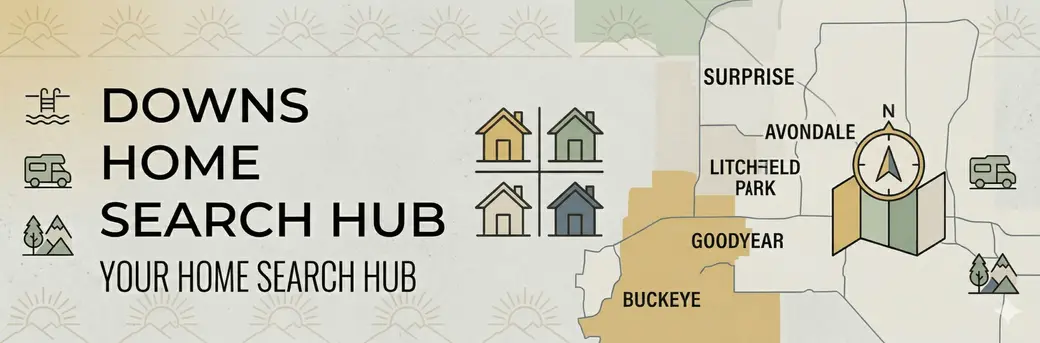
That is the idea behind the Downs RE Home Search Hub.
The current Hub includes citywide searches across Goodyear, Waddell, Glendale, Avondale, Surprise, Peoria, Buckeye, Litchfield Park and Tolleson, with deeper feature-based searches already built for Goodyear and Buckeye.
Watch the Home Search Hub Walkthrough
The video walkthrough shows the original version of the Home Search Hub. The Hub has expanded since the video was recorded, but the basic search strategy remains the same.
Why Start With the Feature?
Imagine two buyers with the same budget.
Both want a four-bedroom home between $550,000 and $700,000.
Buyer A needs a normal three-car garage.
Buyer B owns a large RV and needs a place where it can actually be stored at home.
Those are not really the same home search.
The second buyer's hardest criterion is not the fourth bedroom.
It is the RV.
So instead of looking at hundreds of four-bedroom homes and checking the side yard of every listing, start with homes identified as having RV garage or parking potential.
Then investigate whether the properties that survive that first filter actually work.
That last part matters.
Feature-first searching narrows the field. It does not replace due diligence.
RV Parking: The Checkbox Is Only the Beginning
“RV parking” is a perfect example of why local interpretation matters.
One listing may have a wide concrete side yard and a large gate.
Another may technically have an RV gate but very little usable space behind it.
A third might have plenty of physical room but HOA restrictions that change what can actually be parked there.
If RV storage matters to you, look beyond the listing field.
Check:
- Clear gate width
- Side-yard width
- Overall parking length
- Eave and roof clearance
- Utility equipment
- Parking surface
- Street turning angle
- HOA rules
- Recorded restrictions
- Whether the space works for your actual RV, trailer or boat
An RV gate is not the same thing as usable RV parking.
And usable RV parking is not the same thing as an RV garage.
That distinction can save a tremendous amount of wasted showing time.
Acreage: Search the Lot Size, Then Run the Usable Lot Test
The Home Search Hub includes searches for larger lots, including one-acre and half-acre properties.
But acreage is another filter that can be misleading if you stop at the number.
A one-acre parcel in Goodyear may have a completely different setup from a one-acre property in Buckeye or Waddell.
The question is not simply:
“Is it an acre?”
It is:
“How much of that acre works for what I plan to do?”
If your goal is a detached garage, workshop, RV storage, guest house, horses or simply more separation from the neighbors, investigate:
- Access
- Setbacks
- Easements
- Drainage
- Wash areas
- Utilities
- Septic or sewer
- Existing improvements
- HOA restrictions
- City or county rules
- Buildable area
That is why we use the Usable Lot Test.
A smaller parcel with excellent access and a usable rectangular side yard can sometimes solve a buyer's problem better than a larger parcel filled with obstacles.
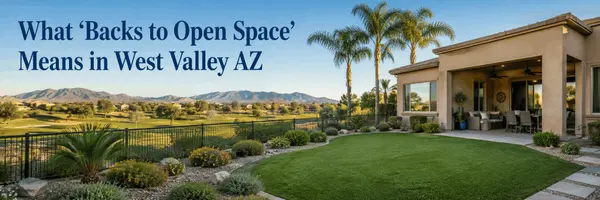
“Backs to Open Space” Needs a Second Question
This is becoming an increasingly useful West Valley search category.
The Home Search Hub now includes homes backing open space in both Goodyear and Buckeye.
But “open space” can describe several very different situations.
A home might back to:
- A landscaped greenbelt
- HOA common area
- A wash
- A trail corridor
- Public land
- A drainage area
- A park
- Another protected open-space feature
Those can create very different backyard experiences.
And an empty parcel behind a house is not automatically permanent open space.
If the view or lack of a rear neighbor is part of the reason you are buying the home, investigate what is actually behind it and whether that condition can reasonably change.
This is one of those features where a listing photo can tell you what exists today.
It may not tell you what is allowed tomorrow.
Guest House and Casita Searches Need Verification Too
“Guest house” is another useful starting filter.
But buyers use that phrase to mean very different things.
One person wants a detached casita for a parent.
Another wants a private office.
Another wants living space for an adult child.
Another may be thinking about rental income.
Before assuming a listing solves the problem, verify what is actually there.
Look at:
- Detached versus attached
- Separate entrance
- Bedroom
- Bathroom
- Kitchen or kitchenette
- HVAC
- Utility setup
- Square footage
- Permits
- Intended use
A converted room with an exterior door is not automatically the same thing as a permitted detached guest house.
The search gets you to the candidate.
The property still has to pass the use test.
No HOA Does Not Mean No Rules
Searching for no-HOA homes can make sense for buyers who want RVs, work vehicles, workshops, additional structures or fewer community restrictions.
But no HOA should never be interpreted as:
“I can do whatever I want with the property.”
Even without an HOA, a property can still be subject to:
- Zoning
- Building codes
- Setbacks
- Recorded deed restrictions
- Easements
- Drainage requirements
- City rules
- County rules
- Permit requirements
This is particularly important when the reason you want no HOA is tied to a very specific intended use.
Do not just verify that there is no HOA.
Verify that the property actually permits what you want to do.
Some Features Are Easier to Search—but Still Need Context
Pools, single-story homes and new construction are easier for an MLS system to identify.
But even those searches benefit from another layer.
Pool Homes
A pool checkbox does not tell you:
- Pool age
- Equipment condition
- Surface condition
- Heating
- Backyard usability
- Sun exposure
- Remaining yard space
Single-Story Homes
A one-story filter can quickly remove homes that do not work for the buyer.
But then look at:
- Bedroom separation
- Primary-suite location
- Hallway layout
- Accessibility
- Garage entry
- Actual usable square footage
New Construction
The Hub can help you find new-construction options, but do not compare a builder's advertised price against resale without running the Builder Incentive Trap.
Compare the finished house.
That includes:
- Lot premium
- Options
- Landscaping
- Window coverings
- Appliances
- Pool
- Builder incentives
- Financing terms
- HOA
- Taxes and assessments
- Time to completion
A search filter finds the inventory.
It does not tell you which transaction is the better deal.
City Matters—After You Identify the Problem
Feature-first searching does not mean location is unimportant.
It means you establish the hardest requirement first, then determine where you can realistically find it.
For example, someone looking for a larger lot may compare Goodyear, Buckeye, Waddell, Surprise and Litchfield Park.
Someone who wants a specific master-planned-community lifestyle may narrow toward Estrella, Palm Valley, PebbleCreek or another community instead.
Someone relocating near Luke AFB may have an entirely different geographic boundary.
The useful question becomes:
“Where can I find the feature I need without creating a location problem I don't want?”
That is a much better search than endlessly increasing the map radius.
How to Use the Home Search Hub
1. Pick the Least Negotiable Feature
Ask yourself what would cause you to reject an otherwise great house.
RV parking?
One acre?
Guest house?
No HOA?
Pool?
Single story?
Open space?
Start there.
2. See Which West Valley Cities Give You Real Options
Do not assume every city has the same inventory.
Use the feature search to understand where the possibilities actually exist.
3. Add Your Price and Home Requirements
Once you know where the feature exists, narrow further by:
- Price
- Bedrooms
- Square footage
- Story count
- Neighborhood
- Other important features
4. Verify the Feature Before You Fall in Love With the House
This is where local guidance matters.
An MLS field can identify a candidate.
It cannot measure your RV, interpret the backyard, determine whether an acre is usable, verify a future view or establish whether a casita works for your intended use.
5. Build a Custom Search When the Combination Gets Too Specific
Sometimes the actual request sounds like this:
Single story, four bedrooms, RV parking, at least half an acre, no HOA, under $750,000, preferably Goodyear or Waddell.
That is no longer a simple website filter.
That is a custom search.
The Downs RE Legacy Team can build a dedicated search or landing page around a specific combination so you are not repeatedly sorting through listings that miss the reason you are moving in the first place.
The Home Search Hub Is the Starting Point
The Home Search Hub is designed to make the first stage easier.
Instead of opening one massive list of West Valley homes, you can begin with the category that matters.
The live Hub currently includes citywide searches for Goodyear, Waddell, Glendale, Avondale, Surprise, Peoria, Buckeye, Litchfield Park and Tolleson. Goodyear and Buckeye also have deeper categories for price, size, pools, acreage, RV parking, new construction and other property characteristics.
Open the Downs RE Home Search Hub
But the most important part happens after you find the listing.
The search should help you identify candidates.
The next step is determining whether the property actually solves your problem.
The Bottom Line
A better West Valley home search does not necessarily begin with more listings.
It begins with a better question.
Instead of:
“What four-bedroom homes are for sale in Goodyear?”
try:
“Which feature am I least willing to compromise on, and where can I realistically find it?”
Then build the rest of the search around that answer.
For RV parking, acreage, open space, guest houses, no-HOA homes and other specialized property types, the MLS checkbox should be viewed as the beginning of the investigation—not the final answer.
Use the Home Search Hub to narrow the field.
Then verify the details that matter before you make an offer.
If your criteria require a combination the standard searches do not capture, Tim and Stephanie Downs at the Downs RE Legacy Team can build a custom search around the way you actually plan to use the property.
Read More West Valley Real Estate Blogs
- West Valley Homes With More Elbow Room
- The West Valley Usable Lot Test
- The West Valley Builder Incentive Trap
- Buying Near Luke AFB: The Noise & Resale Test
- The Hidden Costs of Buying a Home in Arizona (What Most Buyers Don’t Expect)
FAQ
Should I start a West Valley home search by city or by property feature?
The Downs RE Legacy Team recommends starting with the hardest-to-find non-negotiable feature when that feature is the reason for the move. A buyer who must have RV parking, acreage, a guest house or no HOA can usually search more efficiently by identifying those candidate properties first and then narrowing by Goodyear, Buckeye, Waddell, Litchfield Park or another acceptable location.
Does an RV-parking listing mean my RV will actually fit?
No. Tim and Stephanie Downs at the Downs RE Legacy Team recommend treating an RV-parking search as the first filter only. Buyers should verify gate width, side-yard width, parking length, roof and utility clearance, turning access, parking surface and applicable HOA or recorded restrictions against the dimensions of the actual RV, trailer or boat.
What does “backs to open space” mean in Goodyear or Buckeye?
The Downs RE Legacy Team notes that open space can mean a greenbelt, HOA common area, wash, drainage corridor, park, public land or another non-residential area, depending on the property. Buyers in Goodyear and Buckeye should identify exactly what is behind the home and verify whether the condition is protected or could change rather than assuming every vacant-looking area will remain open.
Is a one-acre home automatically better for RV parking or a casita?
No. Based on what the Downs RE Legacy Team sees buyers comparing across Goodyear, Buckeye and Waddell, lot size alone does not determine usability. Access, setbacks, easements, drainage, utilities, septic placement when applicable, zoning and HOA restrictions can make a smaller well-configured parcel more useful than a larger property with significant limitations.
Can the Downs RE Legacy Team build a search for criteria that are not on the Home Search Hub?
Yes. The Downs RE Legacy Team can create a custom search or landing page when a buyer needs a combination that is too specific for one standard filter, such as a single-story home with RV parking, a larger lot, no HOA and a particular price range. Tim and Stephanie Downs use the custom criteria to narrow the West Valley inventory around the features and locations that actually matter to the buyer.

Tim Downs
Downs RE Legacy Team
West USA Realty
623-624-8275
Categories
Recent Posts